
Say what you did
Describe water changes, fish additions, moves or observations in your own words. Live captions let you follow your speech while recording when the service is available.

FPBreeder for iPhone
Speak. Review. Keep it recorded.Describe the work as you go. FPBreeder turns your speech and tank context into proposed aquarium updates, ready for you to review and save. Less typing between tanks. More of the details kept together.
Free Goldfish level · Paid plans available
Camera Vision mode is included with Breeder.
For iPhone · Requires iOS 16.6 or later
One session. A clearer record.
A spoken session can become several tank and livestock actions. You keep control of what gets saved.
Describe water changes, fish additions, moves or observations in your own words. Live captions let you follow your speech while recording when the service is available.
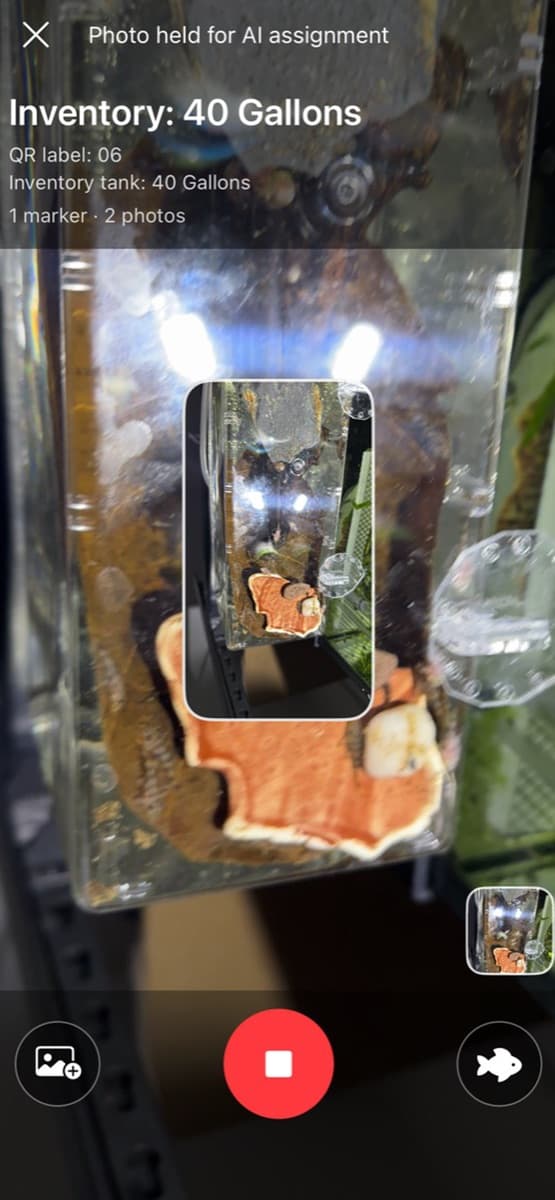
With Breeder Vision mode, scan a tank’s QR label as you speak. Context markers tie the next part of your narration to that tank. Capture tank or livestock photos in the same session.
Review the completed transcript and correct anything that was misheard before asking AI to create the updates. Your tank context and held photos stay attached.
AI proposes structured changes using your tank and stock records. Edit details, select the actions you want and tap Apply to save those changes.
The real AI workflow
Start an AI Update, add camera context with Breeder Vision mode, then review the proposed actions before applying them. These are actual App Store screenshots with sample records.
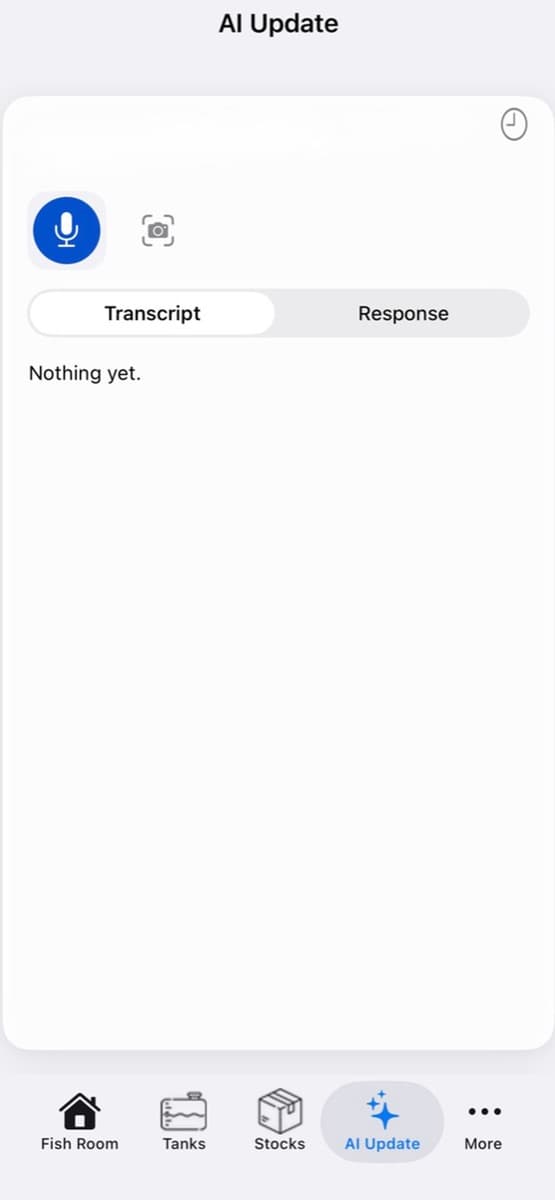
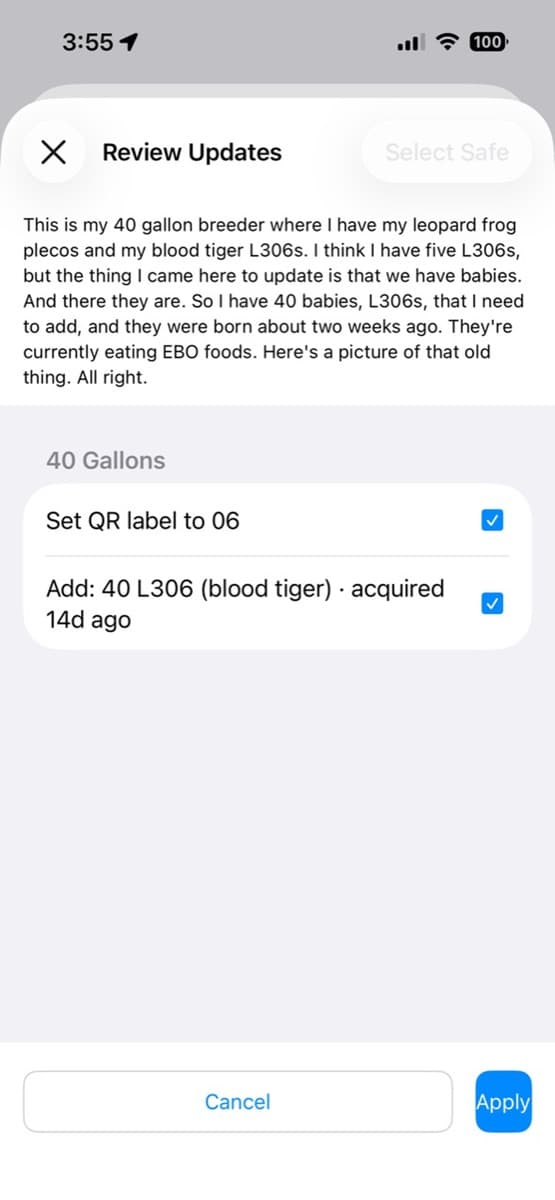
Scan a tank QR code to associate your narration with its aquarium record. When you move to the next tank and scan its label, the context moves with you. Photo assignment uses your narration, timing and tank or stock context.
Live captions display speech as it arrives. The completed recording is transcribed for your editable transcript review. Live captions depend on service availability and currently have a separate 30-minute monthly allowance. The app shows your remaining minutes.
An illustrative session
Say what happened in terms you already use. AI uses your inventory context to propose the appropriate record changes.
Example speech · illustrative, not a live AI result
“In 40 Gallons, I changed 25% of the water and added 10 lemon plecos.”
Proposed actions to review
Assumes the named tank resolves and the additions fit your plan. Check the target tank, species and count before selecting actions and tapping Apply.
Start small. Grow your fish room.
Every level includes AI voice updates within its allowance. Breeder adds camera Vision mode and FPBreeder integration.
Swipe the comparison to see every column.
| Level | US price | Tanks tracked | Fish tracked | Voice updates | Breeder extras |
|---|---|---|---|---|---|
| Goldfish | Free | 1 | 1 | 1 per week | — |
| New Hobby | $0.99/month | 1 | 10 | 1 per day | — |
| Fish Corner | $2.99/month | 5 | 30 | Unlimited | — |
| Fish Room | $4.99/month | 25 | 200 | Unlimited | — |
| Breeder | $9.99/month | Unlimited | Unlimited | Unlimited | Vision + FPBreeder integration |
Prices shown are US monthly reference prices. Paid plans are auto-renewing subscriptions; the App Store purchase screen shows your current local price and terms.
“Unlimited” voice updates refers to the number of updates. Live captions currently have a separate 30-minute monthly cap; check your remaining minutes in the app.
The records behind the AI
Organize fish rooms and keep tank capacity, lighting and inhabitants in a structured record.
Keep livestock details together and review your stock at a glance, from a single aquarium to a fish room.
Attach photos and activity notes so the details of your aquariums stay with their records.
Use iCloud sync to keep your aquarium records available across your Apple devices.
Included with the Breeder plan
FPBreeder can send selected inventory details to your connected FPBreeder account so remote listings can be created or updated from the records you already maintain on your phone.
You choose whether to use the integration, with visible inventory sync status in the app.
Ask us about the integrationMeet your aquarium notebook
Explore FPBreeder on the App Store for current app details and purchase options.
Download on the App StoreFree to download · In-app purchases available